Wednesday, 19 February 2014

The Epic Fail Challenge

We have challenges every months on the Divas Facebook Group. You can read about them on our website challenge page HERE. Yes, I know I keep forgetting to post them on the blog...

We also have some "Hey, let's do this!" challenges and right now we have am Epic Fail challenge. Did your day go wrong? Did you do something stupid? Did inanimate objects take on a life of their own? Make a page about it!

The weather in the UK has been dire recently with lots of flooding. On the south coast where I live we've also had high tides and storms to contend with and this is what happened to some local beach huts (between Boscombe and Southbourne for the UK peeps, and I cheated - the ones on the left are at Durley Chine a mile away). I used a quickpage by Cinzia Loosemore, the alpha is from Trixie Scraps, All About Me, The Littles.


Photo & Video Sharing by SmugMug

If you'd like to see another Epic Fail page complete with sorry tale about the worst cruise ever go the The Ship's Rail !

Sometimes old colours just work

I bought "Waiting For Spring", a collab kit from Little Butterfly Wings and Juliana Kneipp, at the weekend. I intended to use it for a layout about waiting for Spring complete with terribly clever macro shot of a clematis shoot but that will have to wait for another day. Let's face it the wet weather in the UK is a joke and folk might just laugh if I made a page about Spring.

I got distracted by this collage background and the "Let's play outside" sign. Both reminded me of childhood photos. I tried many many times to correct the colour in this photo of my Nan, brothers and cousin in our back garden but it never turned out right. On this page it doesn't matter, it's fine as it is.

Photo & Video Sharing by SmugMug

It gets worse ....

My last post was about documenting the disappointment. Right up there in our fancy header it says "cruising" does it not? Well, here's a twofer - a page about the most disappointing cruise ever.


Photo & Video Sharing by SmugMug

I used mostly Scrapyrus' Anchor My Love. I can't even bear to write the story again. You can read about it on The Ship's Rail

Tuesday, 11 February 2014

Not Your Grandma's Grammar

by Yobeth Puckett

To say it's not your Grandma's grammar would be an understatement. Children in the United States aren't even being taught cursive in school anymore and grammar has been on a slippery slope for years!  I'm afraid to think where texting is going to take us.


I don't claim to be an English major but some things are just annoying. Homophones, for example, are one of my pet peeves.  Here are just a few of the frequently mixed-up words I see:

  • to/too/two
  • their/there/they're
  • hear/here
  • passed/past
  • your/you're/ur

In the examples above, I added ur as my prediction for where we're headed!  I hope you realize these words do not mean the same thing.  Let's take their/there/they're and use them in a sentence.  They're going to sit with their family over there.  You get the gist.

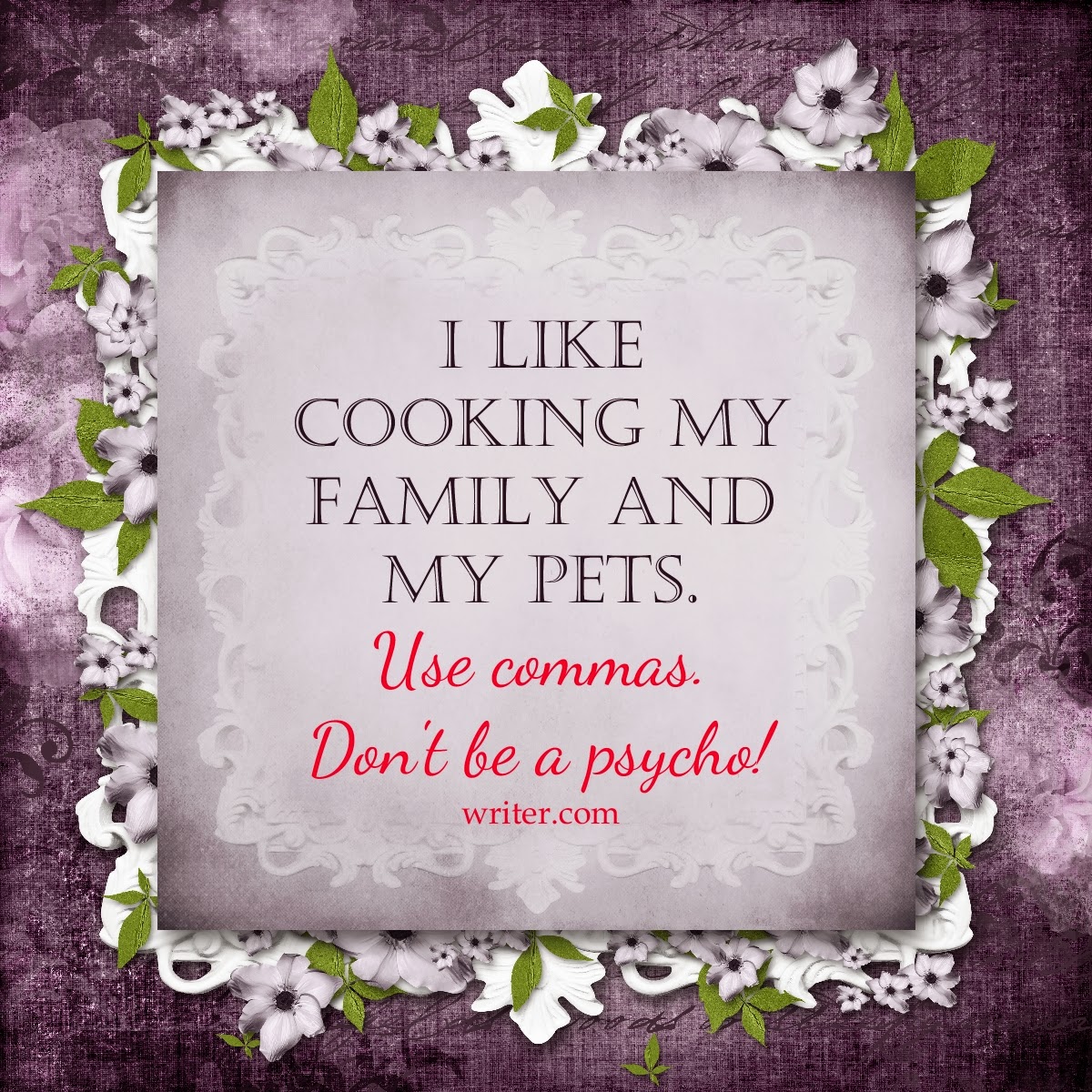
Now let's consider punctuation.  A comma can change the entire meaning of a sentence.  The quote below is from writers.com website.  It is a perfect illustration and made me laugh.


I hope I haven't made too many grammatical errors while typing this post. 
English was never my favorite subject and a refresher course I took a few years ago reminded me why!

Feel free to send me any of your pet peeves in the comments.
Find more posts by Yobeth at scraptiousdesigns.com/blog.

Wednesday, 4 December 2013

The December Buffet

We're doing something a bit different with our daily word challenge for December. Instead of a fixed word per day you get to choose any number of words you like from the buffet table and see how many twofers, threefers etc you can get. I think we have a eightfer so far and it's only 4th December!

Here are your words:

Photo & Video Sharing by SmugMug

Don't forget to show us your pages in our Facebook group!

Are you checking our Digi Scrapping Freebies group every day? Some freebies are only available for a short time and you don't want to miss out. This page was made with a free MMS template Home For Christmas by CatDesignz:

Photo & Video Sharing by SmugMug

Sunday, 27 October 2013

What About Close-ups?


What do you think about close-ups?  I love close-ups but I can remember the day when my main goal with photos was to get as many as I could on a page, in an album!  Nothing fancy just a photo album.  I was doing great not to keep them in photo envelopes and boxes.  Film and developing wasn't cheap so I never had very many photos!


I've changed over the years I guess. Today, we can get such great digital shots, we can take way more than we need, delete what we don't like and use the cream of the crop for our scrapbook pages. Now I want them in a digital scrapbook with lots of papers, embellishments, and journaling.


Depending on the occasion, I may still want to put several pictures on a page but for the most part I like one or two photos per page now.  And when I have a photo that I really love, I like to blow it up almost full size and zoom in for a very tight close-up.  Digital photography and digital scrapping make it so easy.


Another technique is to use a photo as a background image then have a few related shots grouped together.  There are a lot of special effects that can be done if desired.  In the layout below I changed the background photo to black and white then reduced the opacity slightly.  I used My Memories Suite photo tiling technique to divide the photo up across three photo boxes.  Put these scrapbooking ideas to use and make your pages pop.


Tuesday, 10 September 2013

Documenting the Disappointment

No, I don't scrapbook the very moments of disappointment and disaster. Only when it's funny, as Jessica Rabbit would say.

Friends and avid readers (OK, those are the same thing) will have noticed a recent foray into pocket style scrapbooking about which more later. Or you can take a peek at my new website Easy Pocket Scrapbooking. It's not all there yet as the W word is getting in the way but you get the general idea and yes, I am doing some of the paper version too and no, I'm not getting involved in the P365/P52 malarkey.

Here's the left hand side of DH John's Grand Day Out at the Bournemouth Air Festival. It's full of hope and excitement with the obligatory walking away shot. I wanted that to be a big photo but it looked a tad dull so I added the word art overlay by Karla Dudley's Anywhere frames set. She is so good at these, I have several sets. You can get them at Pixels And Company. I recoloured the PNG file in PSE 11 (easy peasy, I'll do a tut when I have time) and then I added a shadow which is no doubt against the rules but Rules Schmules. Add a shadow to anything you like. If it looks good leave it, if it doesn't then you can undo it. I really don't know why the self appointed Rule Makers make such a big deal about shadows.

Photo & Video Sharing by SmugMug

Now where to begin with the credits for these pages ...I used mostly Digital Design Essentials' Par Avion and Sarah Sullivan's Fly Away With Me. The weather card is from Sahlin Studios'/Britt-Ish Designs' Mouse Project and I used a few elements from Scrap Orchard's August 2013 Mega kit Friendly Skies. I used a striped background paper from the Par Avion kit then added a smaller plain paper on top to get the frame effect.

So on the right hand side it all goes wrong for poor John :(

Photo & Video Sharing by SmugMug

Let's hope the Vulcan does fly again. They said it wouldn't fly again last year but it did. John did at least get a video of the Chinook and you can see that by scanning the QR code. It's the first time I've added this to a layout. It was very easy, you can get your code at Unitag and it can link to anything you like, it doesn't have to be a video. I ignored the whole idea of QR codes on layouts for a long time as I thought for some reason they could only go to videos and you can count the videos I've made on one hand. Most of those are the "what's the matter with this camera, why is it taking a video?" kind of videos  that require much bleeping out!

Thursday, 5 September 2013

Newsletters - Love Them or Hate Them?


What about newsletters?  Do you love them or hate them?  I have mixed emotions myself.  Each morning I scan down the email list from scrapbook stores and designers.  I'll usually pick out the ones I don't want to miss and leave the others for later or delete them altogether.

I get a couple of store newsletters that I really like.  One is the home of several of my favorite designers.  I love getting their weekly newsletter to see all the new releases.  The other usually includes a personal story of life in Germany by the store owner stationed there.  I look forward to her stories and her great photos.

There are a lot that give wonderful, high quality freebies.  I'm thankful for those.  Be sure to check the quality before having anything printed though.  It's very disappointing to get a scrapbook printed then find out some pages were created using low quality freebies that don't print well.

I prefer a clean, uncluttered look.  I don't like extremely busy ones  with ads from beginning to end of a very, very long newsletter.  Especially if they're  two or three columns wide!  It's like they're trying to put half of their store in every newsletter.  Ugh! 

But most of all, I don't like the ones that really have nothing to say; they just want to say they put out a newsletter!  Mission accomplished.


Wednesday, 28 August 2013

A bold experiment ...

I've taken this blog off Amazon Kindle. You didn't know it had been on there? Great marketing then ... Kindle readers are available on all kinds of devices and you can read books in colour, right? Not so with blogs, apparently. Blogs are only available on your main Kindle device and it has to be one of the old fashioned ones.

Hubby took out a trial subscription to the blog. There is no way for the author to see what their own blog looks like. Stupid ... He then wrote and asked why he couldn't see it in colour on his Kindlefire and Amazon wrote back and told him it must be something I'd done wrong as the author. WHAT ??? There are actually no options for this kind of thing when you publish your blog. Not only that but Amazon don't respond to emails from blog publishers so you can't even ask them about it (or complain that they're telling porkies to your customers). There is a forum but when I tried to post on it it told me I had to format my query in Javascript. Yea, right. Geeks only!

So that was a lot of time wasted. Now y'all will have to wait for me to get my books on Kindle. It was amusing though that John said "Some of your blog posts are quite interesting." Ha!

Saturday, 17 August 2013

Let's lose some of those boxes!

Or, for some Facebook friends, "loose" some of those boxes. Ouch. I've been playing with some Becky Higgins' Project Life templates. No, I don't do Project Life as in document every boring thing that happens every week. I'd rather stick pins in my eyes. I bet Becky's accountant wishes she'd never called it that as it must put some people off buying these rather fab templates. You can get them in every combination of 3 x 4 and 4 x 6 you could possibly think of and they have darling little rounded corners and just the right amount of shadow so that it really does look like a paper on paper when printed.

Excellent. So now I'm going to change them!

In these two pages I removed some of the blocks so that the background shows through. Here's an IMPORTANT TIP: When you want to remove blocks/layers from a psd template DON'T delete them. Just click on the little eye icon next to the layer name in the layers template and they will disappear. This avoid the "D'oh" moment when you decide you want one of the layers back again. Do as I say, not as I do!

I loved the camera paper and the colours in Becky's Honey kit so I removed some blocks to let it show. It was then a bit busy looking behind the photos so I added a layer and some yellow paper behind the photos. We took a lot of photos of each other taking photos on that trip! (Shadow added so you can see the edges)


This page uses the Project Life Cherry kit and, again, I liked the design on the paper and removed some of the blocks, this time on the side of the page. I then used more papers instead of photos in a couple of blocks, resizing them until I got a section I liked.


 Try it - remove stuff from your page and see what happens!

Thursday, 15 August 2013

Cloudy Weather Photos

We were lucky to have glorious weather on our recent trip to Bournemouth. The books and games didn't even make it out of the box. There was just one day when it clouded over in the afternoon - fortunately for mother in law who was visiting that day and doesn't like the sun. I still wanted to include the photos and a picture of hubby walking barefoot on the sand is rare indeed and not to be missed.

I ran this photo through Picmonkey, first using the auto enhance then increasing the saturation slightly. I also made a Holga version. This is one of my favourite effects. If the picture is dark anyway why not make it atmospheric too!  All these effects are free.

I used Mandy King's A Shore Thing, including pre-made borders, and made two versions of this page. First, using the photo for the background:


Then I used a sandy paper background and added the photo and another border at the bottom of it.


Wednesday, 14 August 2013

How to Catch A Rhino

Well, OK, extract a rhino! We have a herd of rhinos on display around Southampton and took lots of photos at the weekend. Here's the first page of my album with one I extracted:

The background is a stacked background from Trixie Scraps' Sunshine Day. I thought the extraction in PSE would be easy since I'd already done a few. Just use the magic wand and refine it with the add/subtract function... Unfortunately this doesn't work with painted rhinos! The program kept trying to choose different coloured sections of the rhino and actually left out all the white bits, as I found out when I cut him out and those were still there on the page. So I did it the old fashioned way - the way I extract objects in PSP (8 and X4).

Choose the lasso and draw a rough shape around the object.


This was like using one of those contraptions where you move a ring along a bent wire without setting off the buzzer. It only has to be a very rough shape. Go to edit - cut, then File - new and open a new canvas with a transparent background. Click Edit - paste and your roughly shaped object will appear. Now use the eraser and start removing the bits you don't want. You can see here that I started under his chin...


Start with a large size brush and go all round then zoom in and use a smaller brush so you can work in fine detail. It really didn't take very long!

There's a website which tells you all about the Rhino project HERE. To see more photos, go to my album HERE. I've started the scrapbook HERE. We only got about half of them so more to come!

K for Kaleidoscope


Today's word challenge on Digi Scrapping Divas was kaleidoscope. These are very easy to make in PSP, PSE and no doubt several other programs. Crop your photos square first or it can look weird. I made these kaleidoscope images from photos of my Dad's funeral flowers. He would have found it amusing - even more so that I used mostly Connie Prince's fresh Start to make the page.

Next I'm going to try it with my latest photos from the garden.

Monday, 12 August 2013

Yay! Some Beach Somewhere is Back!!

I bought this kit a while ago and have used it to death. If I had £1 for every time anyone asked me where to get it I'd be very rich! I love this kit so much I've used it - with Fayette's kind permission - for the new blog header. I hope you like it!

Thank goodness Fayette has re-released it at Pickleberry Pop along with some more goodies like the hot mess papers. You can see one in the page below but I made several version of this page as I couldn't choose which background I wanted. Good luck doing that with paper scrapbooking ...


Here's the page I made originally with this extraction (tutorial to follow soon). As you can see it also had part of the Some Beach Somewhere kit on it!  I used a free QP from Cajoline Scrap's Mer De Corail for the background. Water element was from Jasmin Olya's Dreaming Of The Sea.


Tuesday, 6 August 2013

It's a miracle....

No, not that I can use a mask. Masks are easy, as I'll show you in a minute. The miracle is hubby John actually being in the water. Wet. Well, we did have a heatwave in the UK recently!

I love being able to do easy and phenomenally fast scrapbook pages in Memory Mixer and My Memories but you can't use masks in those. Not with every trick in the book.

If you see PSE 11 or PSP X4 upwards on sale then grab it and start using masks. Here are the tutorials:

PSE 11


PSP X4 and up (tested by Yobeth in PSP 15)
 

The background mask and bokeh bits are from Black Lady Designs' Fun In The Sun. Yes, I know bokeh is usually used where there is artifical light but the word means blur in Japanese, not artificial light (Where is my "No Rules" T-shirt?) and I wanted to disguise a boat in the background. The Ocean cluster and wooden jetty are from Et Designs' Paradise Cove. Bottom right cluster is from Jasmin Olya's Dreaming Of The Sea.